Taskinger
Shared tasks and notes, one workbook per context
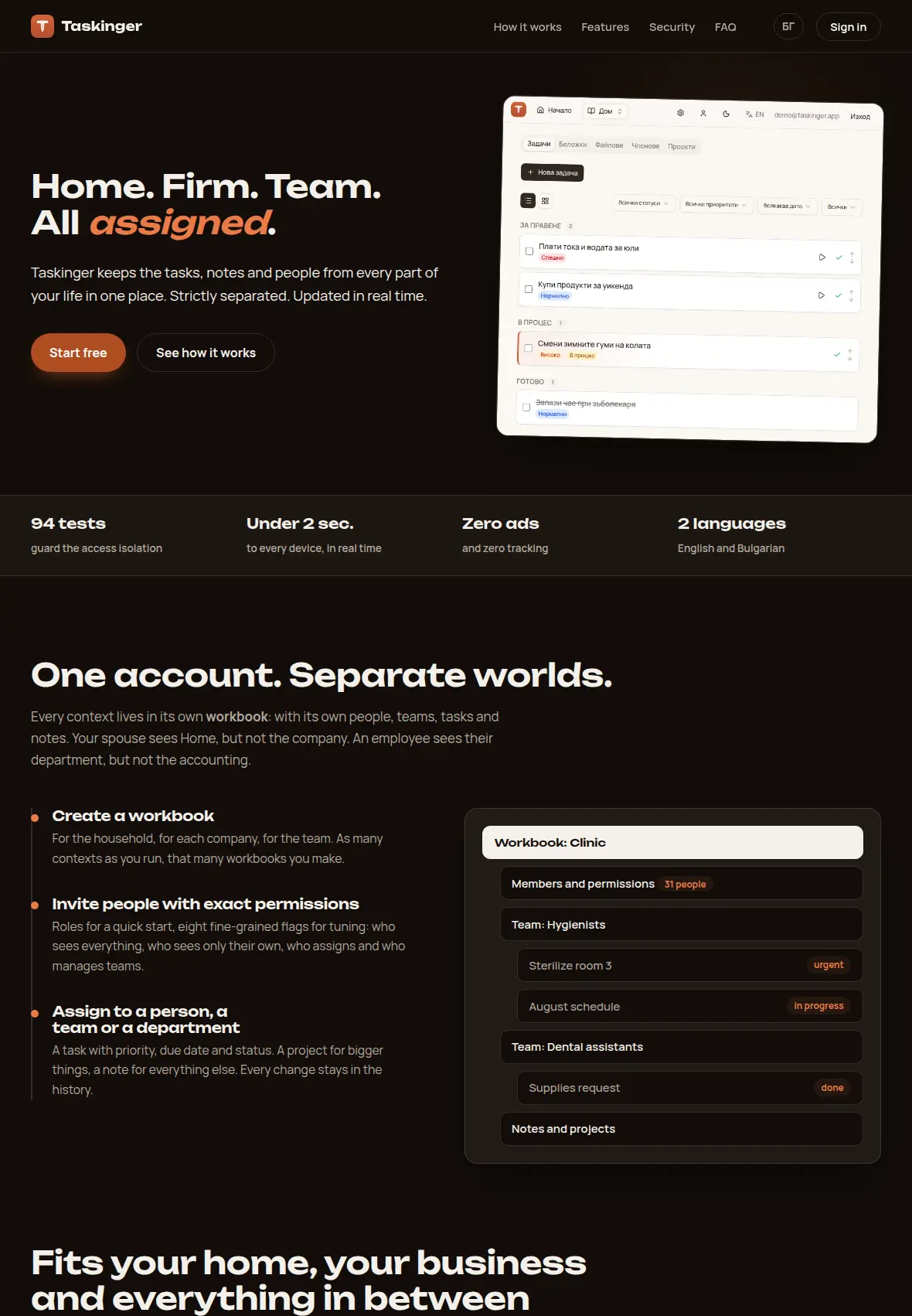
Taskinger is built for families and small teams that juggle several separate worlds at once — home, work, a side project. Each one lives in its own workbook, with its own members, roles and history, so nothing bleeds between contexts. Everything updates in real time and every change stays on the record.
Who is it for?
Taskinger is for anyone running more than one world at once: a household, a small company, a team inside a larger one. The problem it solves is not keeping a list, it is keeping lists apart. A spouse should see the home workbook and not the company; an employee should see their own department and not the accounting. We also build tools tailored to individual businesses.
What it does
Separate workbooks
Home, work and each project stay fully apart, every workbook with its own members. You make one per context: the household, each company, each team. As many worlds as you run, that many workbooks.
Roles and permissions
Control who can view, edit or manage, set separately for each workbook. Roles get you started, then eight fine-grained flags tune it: who sees everything, who sees only their own, who assigns, who manages teams.
Real-time everywhere
Tasks, notes and lists update instantly for everyone in the workbook, reaching every device in under two seconds.
Full activity trail
Every change is recorded, so it is always clear who did what and when.
API, webhooks and MCP
Each key is made in one workbook and never reaches another, with read or write scope. What it writes shows up in the app, the activity trail and the notifications like any other change, and signed webhooks report every created, changed, completed or deleted task. One command, npx @taskinger/mcp, gives Claude, Cursor or any MCP client the workbook’s tasks and notes.
Agents as members
In a company workbook an AI agent joins as a member with its own key. What it writes, comments included, is recorded as the agent’s own, and a named person answers for it.
Proven isolation
Separation between workbooks is enforced by server-side rules that deny by default. An automated rules test suite runs on every change, and a failing test stops the deploy.
Optional game mode
Turn everyday tasks into quests with XP and a leaderboard when the team wants it.
Installable app with push notifications
Installs to the home screen on phone and desktop and pushes a notification when a task is assigned or changes.
Install it on your phone
It opens like an app, from its own icon, with no app store. Opened the link inside Instagram or Facebook? Open it in Safari first (the "…" menu, then "Open in browser").
iPhone, in Safari
- Open taskinger.app/app in Safari.
- Tap Share (the square with the arrow) in the Safari bar. If the bar has no Share, tap "…" first, then Share.
- If "Add to Home Screen" is not in the list, tap "More".
- Choose "Add to Home Screen", then Add.
iPhone, in Chrome
- Open taskinger.app/app in Chrome.
- Tap Share in the address bar at the top.
- If "Add to Home Screen" is not in the list, tap "More", then choose it and tap Add.
Android
- Open taskinger.app/app in Chrome.
- Tap the menu ⋮ at the top right.
- Choose "Install app" (or "Add to Home screen").
Computer
- Open taskinger.app/app in Chrome or Edge.
- Click the install icon at the right of the address bar.
Built with
React and TypeScript on the front, Firebase behind it for accounts, data and real-time sync. AI suggestions are off by default and run on the user’s own key from Anthropic, OpenAI or Google, and nothing is written into a workbook until a person approves each suggestion. It ships as a PWA that installs to the home screen on phone and desktop, with Web Push for assignment notifications. Isolation between workbooks is the part that had to be right, so it is enforced by server-side rules rather than by hiding things in the interface.
Where it stands
Live and in use, in English and Bulgarian. Changes reach every device in under two seconds, every feature is in every plan including Free, and there are no ads and no tracking. Today it installs as a PWA on Android and iPhone; a native phone app is in development.